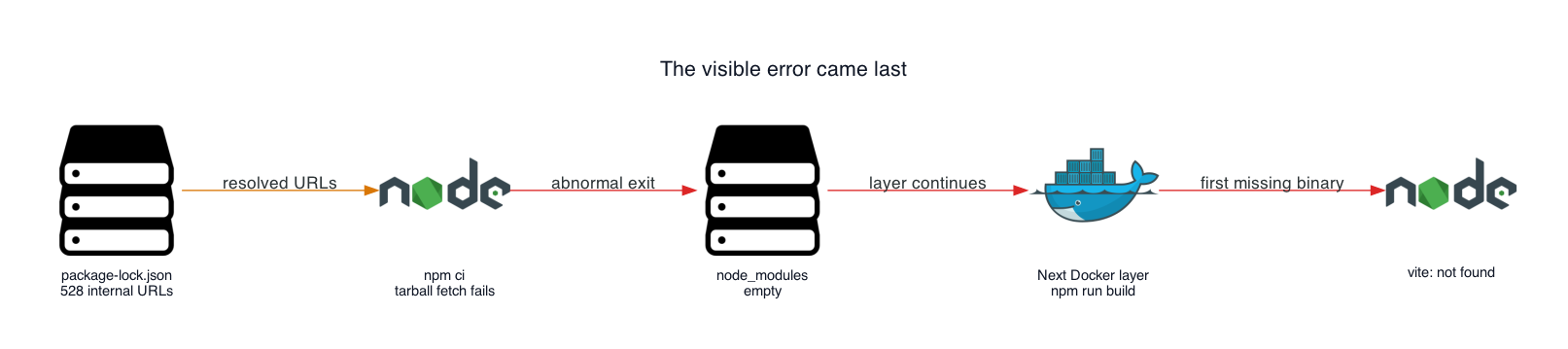
I recently worked on a project where a Node.js application used Vite to compile its frontend. It worked in a browser-hosted development environment, but its image build failed after the move to Azure Container Registry. The build reported a missing Vite executable after an earlier dependency install had failed.
The container build ended with a simple error:
sh: 1: vite: not found
Vite already appeared in devDependencies . The build stage had run npm ci before calling the build script. The Dockerfile looked ordinary, so the first explanations all pointed at dependency selection or NODE_ENV .
The missing binary came from an earlier failure. npm ci had tried to download hundreds of tarballs from a package host that only existed inside the browser-based development environment. It printed Exit handler never called! , left node_modules empty, and didn't give Docker a clear failure status.…