iOS 27 adds new features for CarPlay , the Messages app , and a lot more , including a handful of Apple Notes upgrades. Here’s what’s new for Apple Notes in iOS 27.
Divider line added for organizing your notes
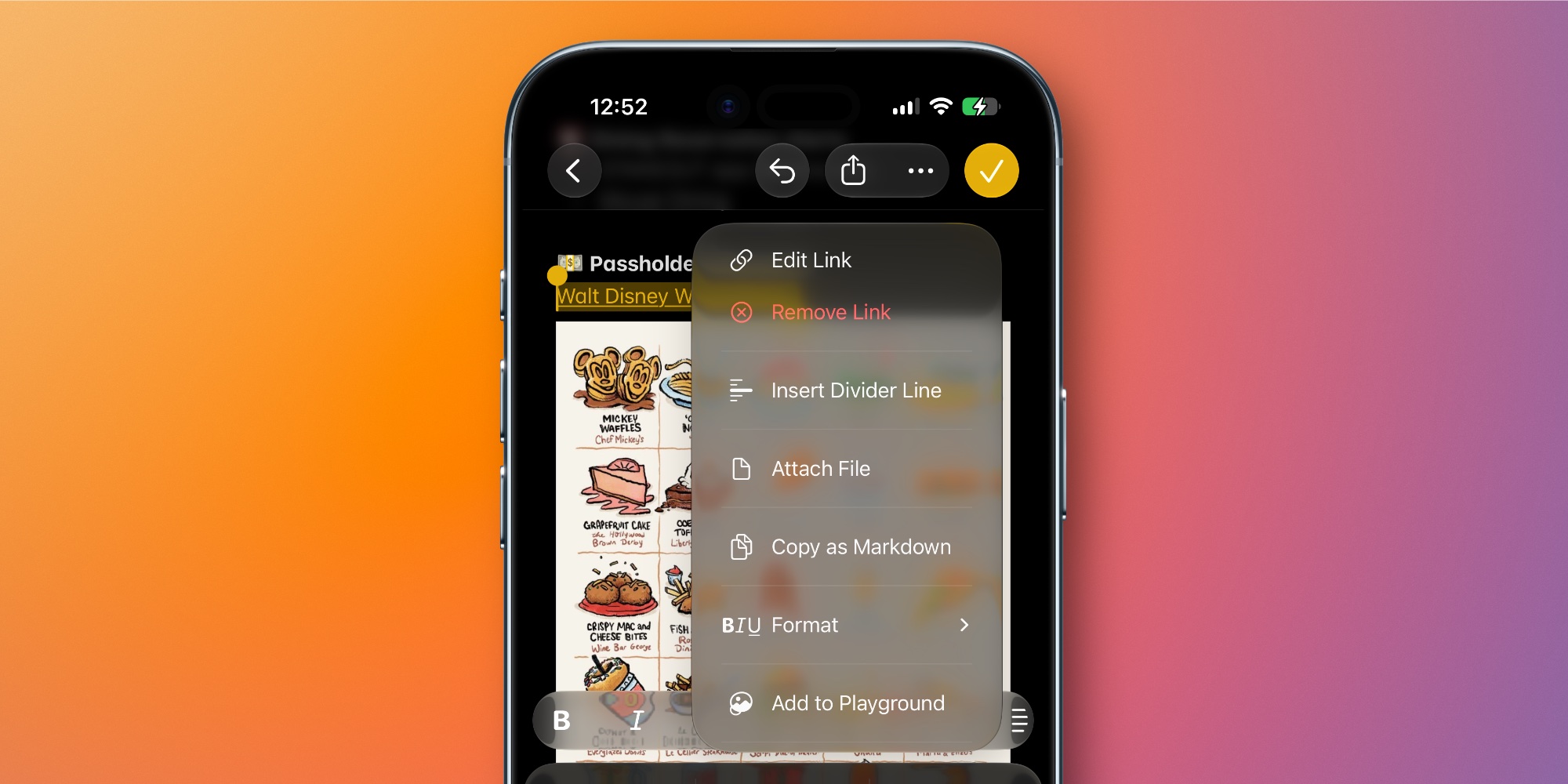
Joining the many different formatting tools in Apple Notes, iOS 27 lets you add divider lines to your notes.
It’s pretty simple. Just tap where you want the line to go, open the edit menu, and choose the new ‘Insert Divider Line’ option.
Divider lines are a great new way to organize content in a note, and a welcome addition to the Notes toolset.
Create and add to notes with Siri AI
The single Notes upgrade that I’m most excited about in iOS 27 involves Siri.
Apple’s new Siri AI lets you quickly, seamlessly add information to a new note or existing note in Apple Notes.
You can do this, for example, with any answer Siri provides in the new Siri app.…