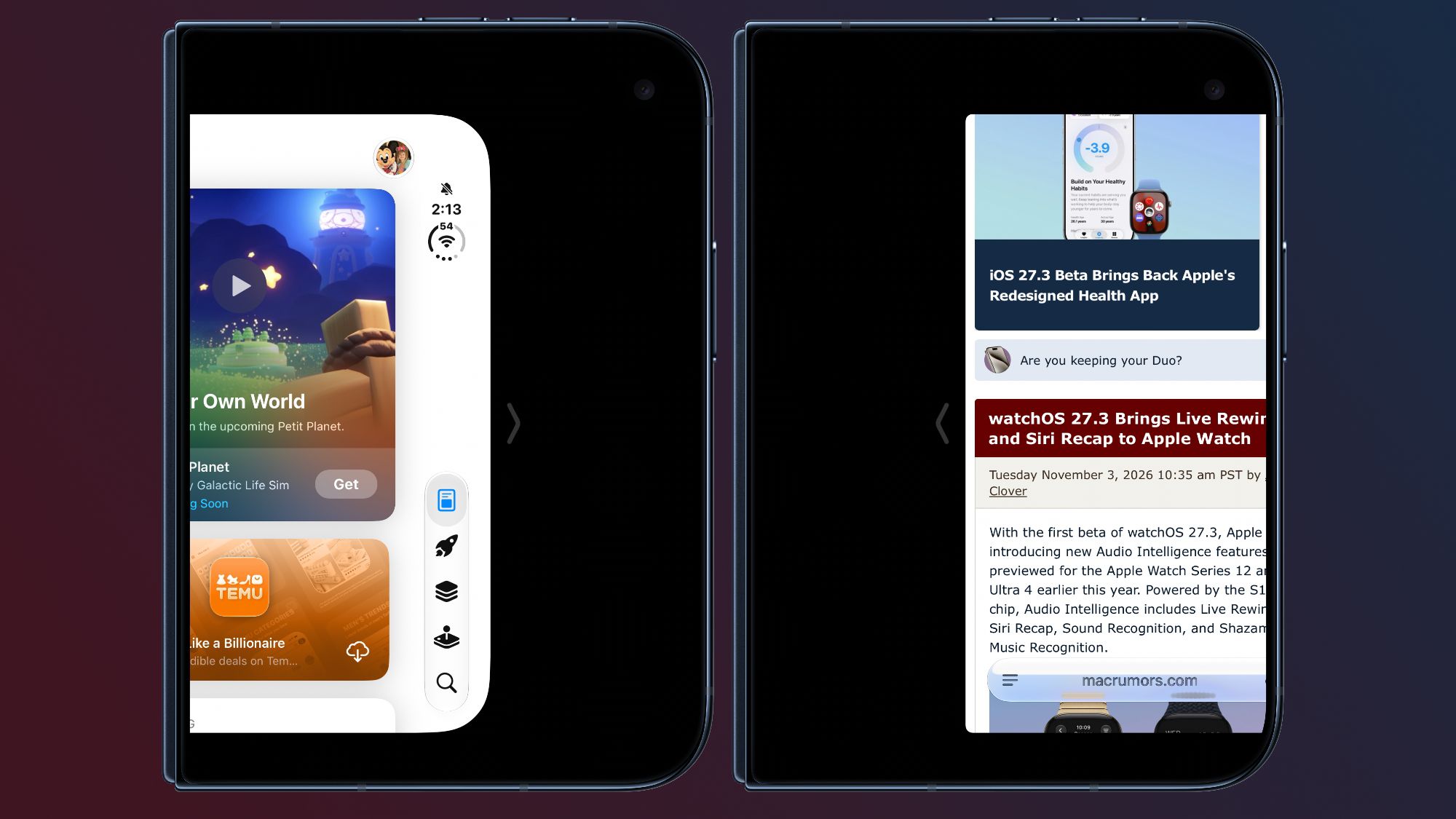
With today's iOS 27.3 beta, Apple expanded Reachability to the iPhone Duo . Reachability lets iPhone Duo users shift the content on the left or right side of the outer screen to make it easier to reach with a thumb.
Reachability can be turned on or off by going to Settings > Accessibility > Touch > Reachability. It is on by default after updating to the new software.
When the iPhone Duo is closed, a short swipe left on the left edge or a short swipe right on the right edge will shift the outer display's content left or right.
Popular Stories
Apple Retail Staff Told to Warn Against iPhone Duo Walk-In Purchases
Some Apple retail employees have been told to warn customers against visiting to purchase an iPhone Duo without a pre-order on Friday, October 23. Apple Store employees told MacRumors that they have been advised that there will likely be no iPhone Duo stock available for walk-in purchases on launch day.…