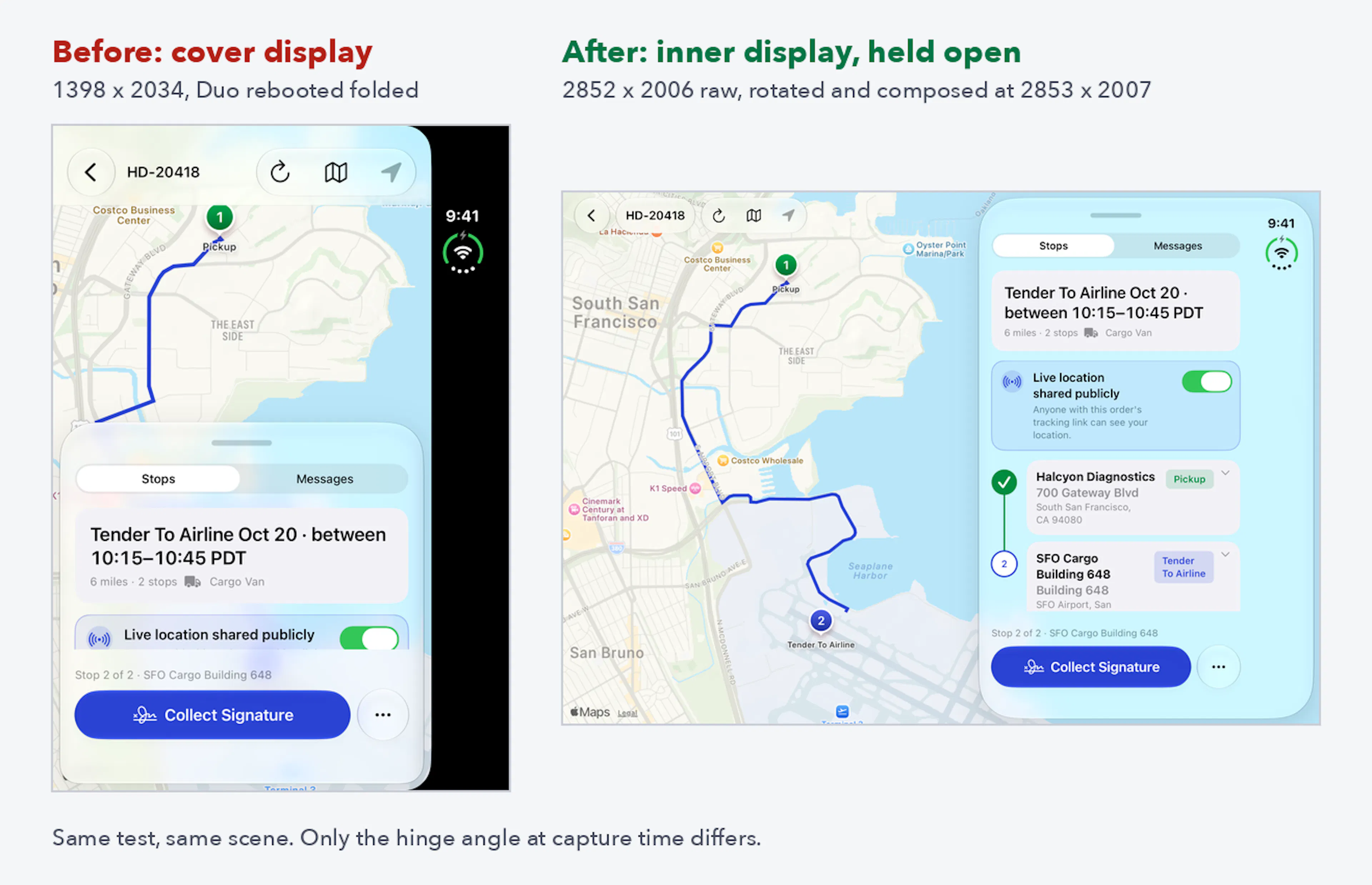
Our courier app launched on the iPhone Duo simulator but there was no back button on the Messages screen. The details sheet covered the navigation controls. On a map, part of the route could easily be out of view.
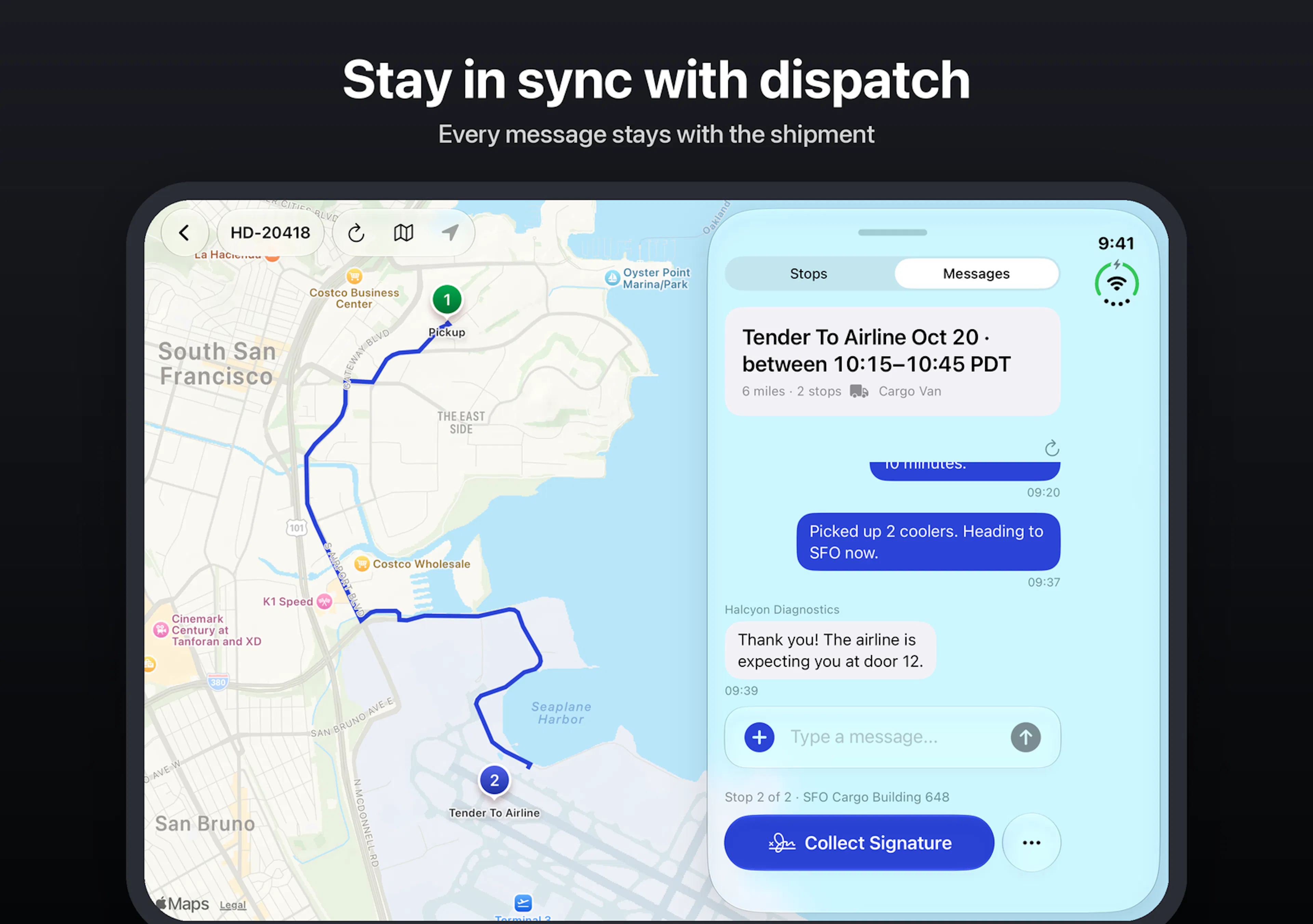
These were gaps in our app. We wanted to fix them before marking the app ready for the Duo. Much of the work involved how our existing interface worked in a differently-shaped window. Once the map, sheets and navigation started to play well together, we could produce a screenshot of the app for the App Store in an unfolded state.
In our driver screens we show a route on a map, delivery details, messages and actions for proof of delivery. On a narrow iPhone, a bottom sheet lets the driver switch between the details and the map. On the Duo, both could be shown at once.
Opening the app was the beginning
In this wider view, the relationship between the views changed. At times, the system would present the sheet next to the map. And navigation buttons could appear in a space occupied by the sheet.…