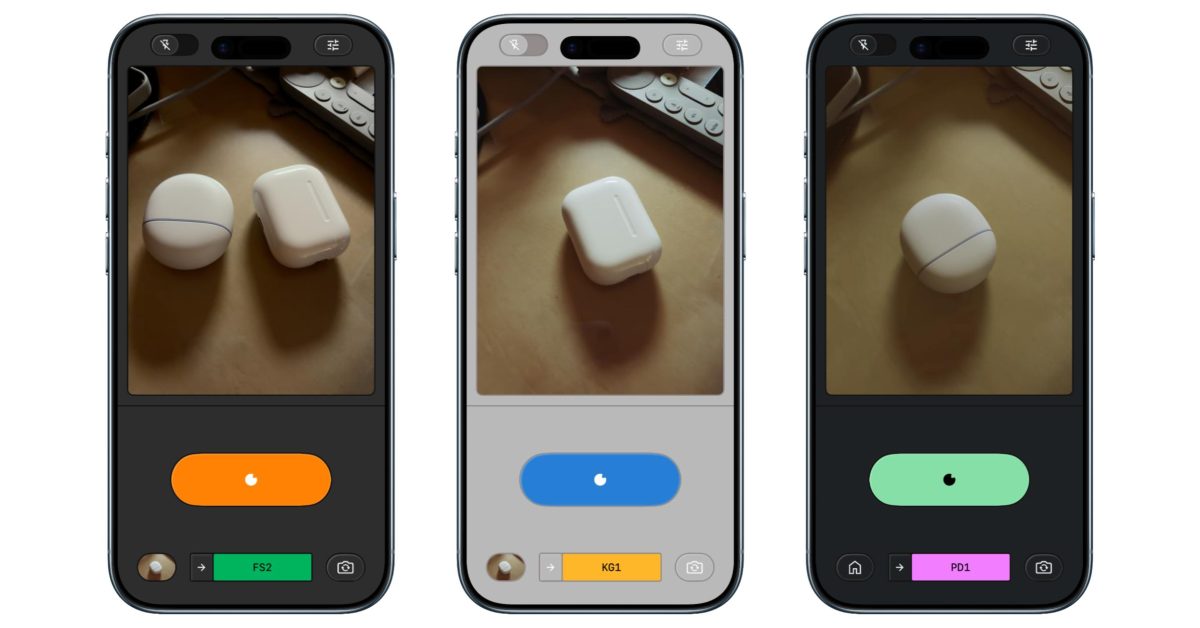
After soft-launching in December , Snapseed for iOS is now officially rolling out its new camera that makes the app more than just an image editor.
Previously, the “Snapseed camera” could only be launched from a Lock Screen widget, Control Center, or Camera Control. There’s now a camera icon in the top-right corner of the app.
Since last year, Snapseed has added “manual adjustments for exposure and focus.” You can enable “PRO” from the new top-left toggle. This adds three buttons to the bottom of the viewfinder: ISO, Shutter Speed, and Focus. You also get a skeuomorphic dial to adjust from Auto.
Flash has been moved to the bottom-left, with zoom on the opposite side.
Besides using your custom saved looks, Snapseed camera offers real-time “film emulation” in the following styles:
KP1: Inspired by Kodak Portra 400
KP2: Inspired by Kodak Portra 160
KG1: Inspired by Kodak Gold 200
KE1: Inspired by Kodak E200
FS1: Inspired by Fuji Superia 200
FS2: Inspired by Fuji Superia 800
FP1: Inspired by Fuji Pro…