(Image credit: Tom's Guide)
We have all lived the routine: someone texts you a dinner time or a parcel tracking code, and suddenly you are juggling three apps, highlighting tiny strings of text, and manually populating calendar slots like an unpaid personal assistant. In iOS 27.2, Apple eliminates that chore by weaving Apple Intelligence straight into Messages through Suggested Actions.
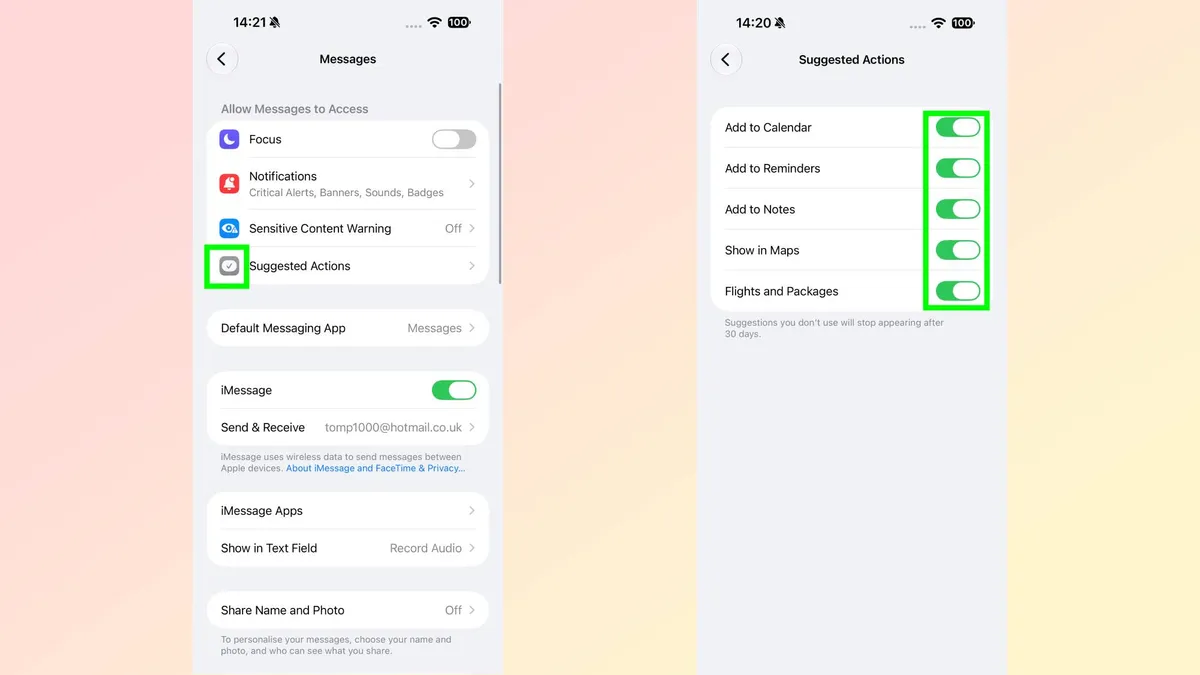
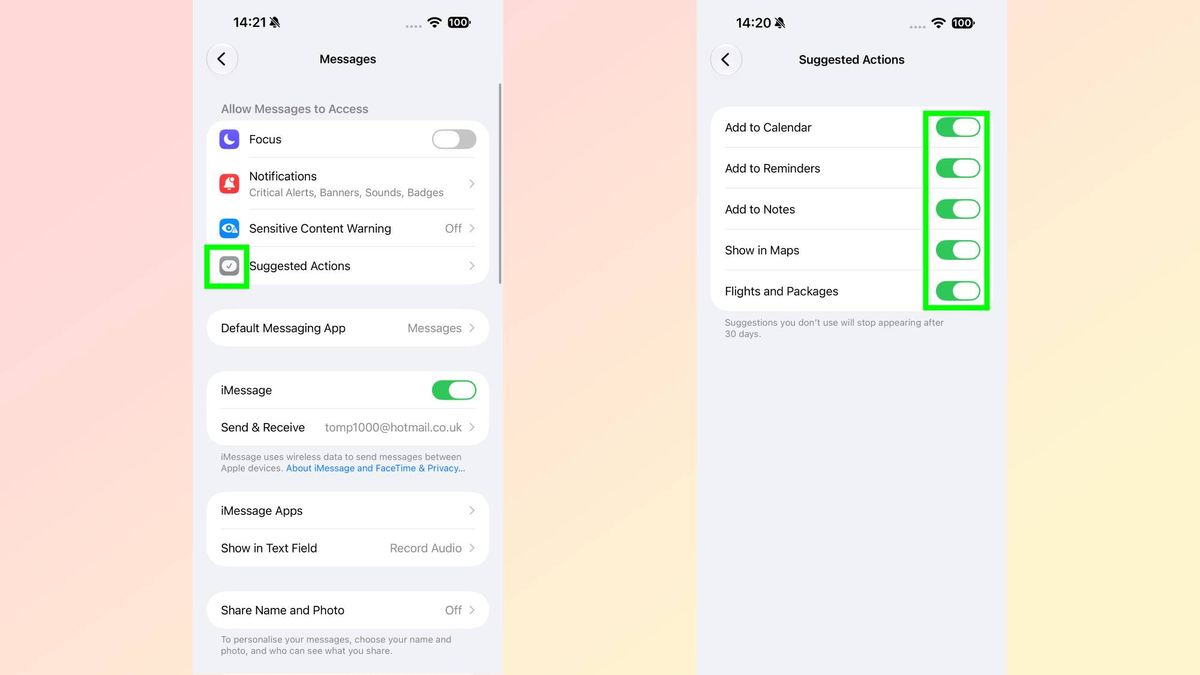
Instead of leaving you to juggle apps, the system scans incoming texts on-device and places one-tap action buttons directly beneath the chat bubble. Here is what the feature automates, how it cuts out the friction, and how to manage your settings.
What Suggested Actions can automate
Enabled by default, the feature tackles routine admin across five core areas. Mention a time or dinner plan, and an Add to Calendar button pre-fills the invite. Get texted an errand, and Add to Reminders logs the chore without making you open the app.
It clears up reference notes and travel logistics just as quickly.…