iOS 27 brings new features to almost all of Apple’s apps, including Messages , Apple Music , Wallet , and more. Apple’s Find My app has its own share of changes in iOS 27. Here’s everything new.
iOS 27: What’s new for Find My?
During WWDC this week, Apple touted two changes to Find My in iOS 27:
More flexible sharing options
UI enhancements
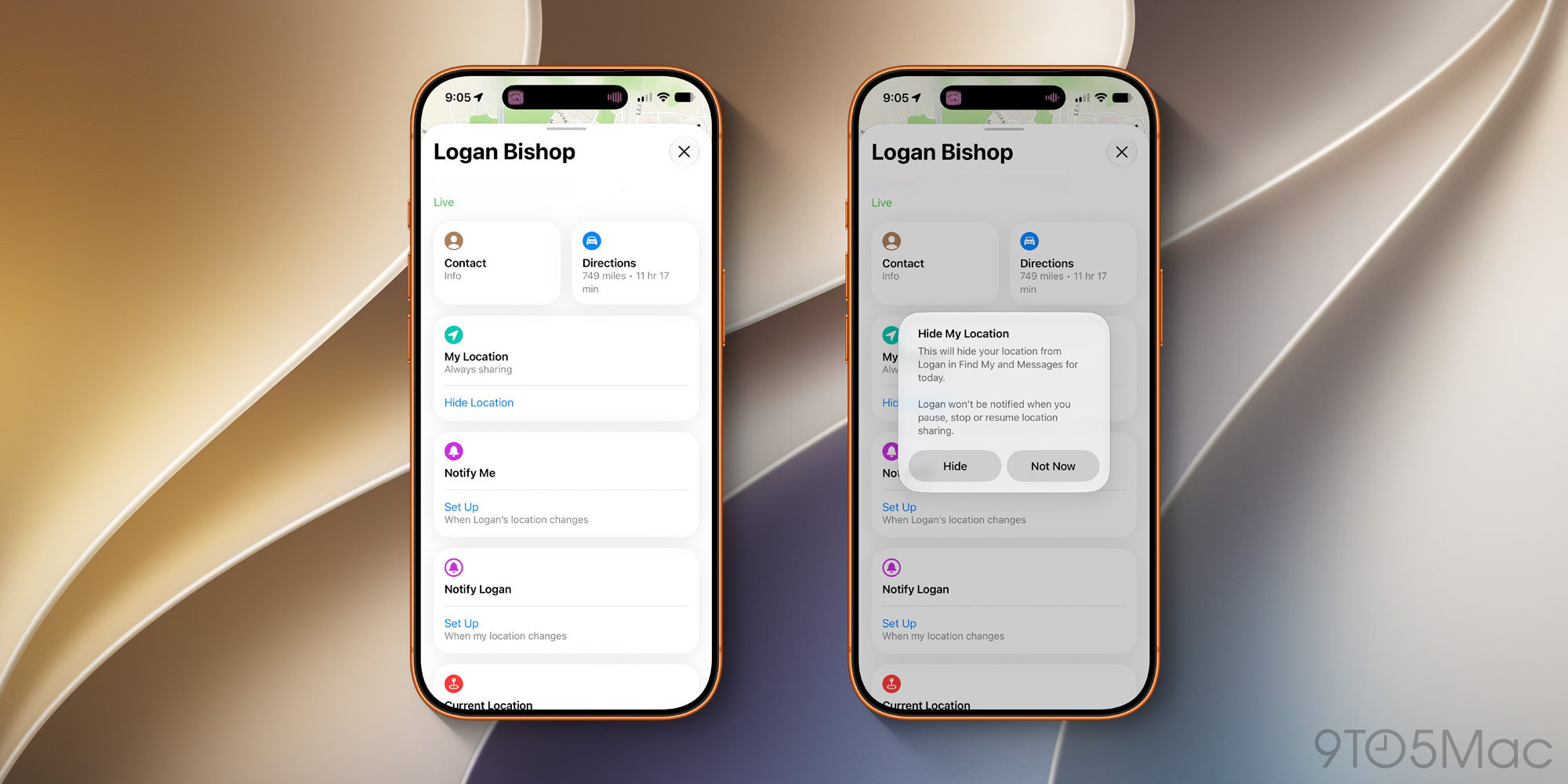
First, more flexible sharing options in Find My give you more control over when and for how long you share your location with others. “Share your location for a custom duration or until a set date and time,” Apple says. You can also now “pause sharing with people individually, whenever you want.”
One of the bigger changes here is that you can now hide your location from a specific person without sending them any notification or alert. The other person won’t be notified when you pause, stop, or resume sharing your location with them.
To manage this, you’ll see a new “Hide Location” toggle on each person’s card in the Find My app.…