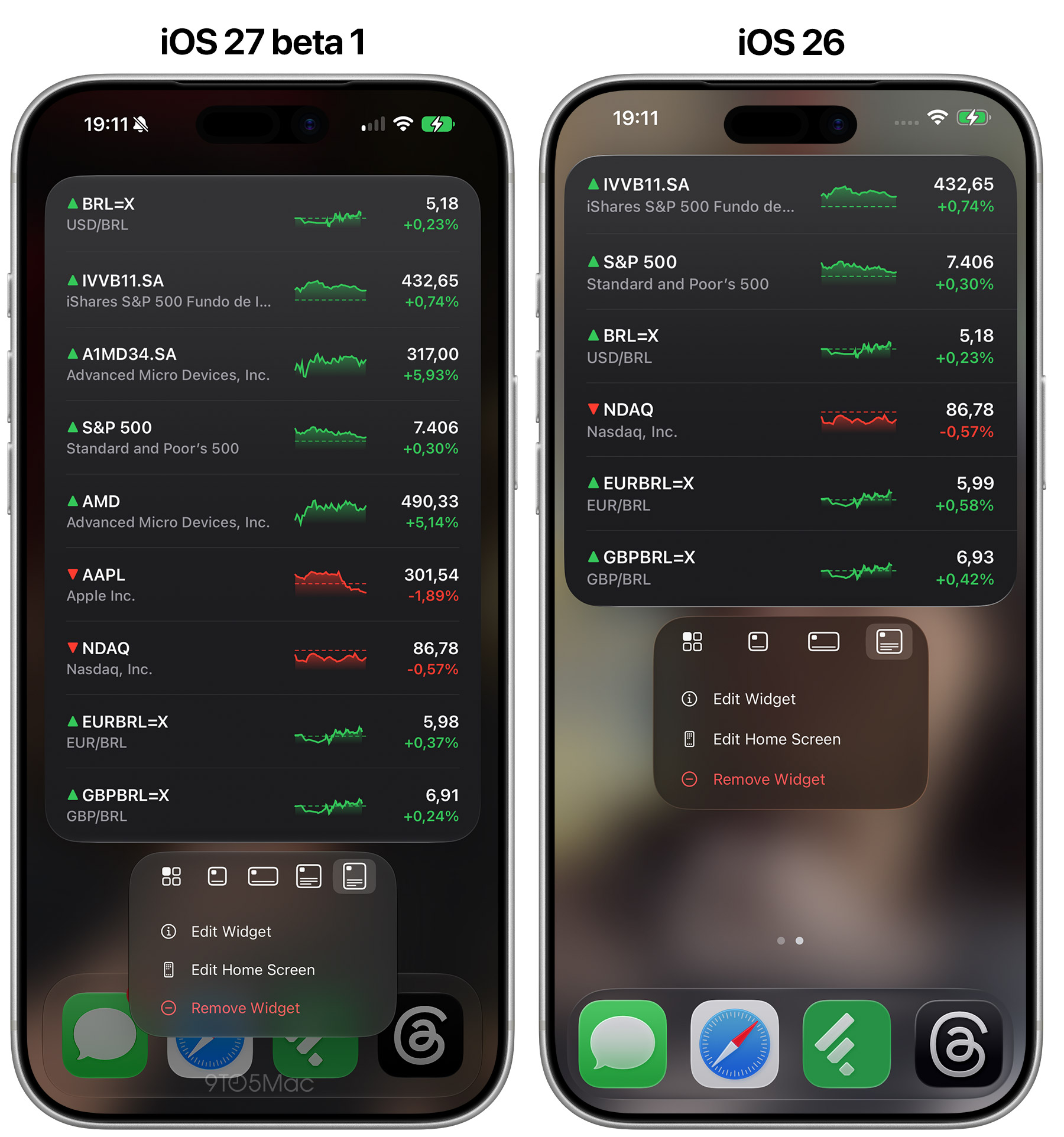
With iOS 27 , users will be able to add new extra-large widgets to their Today View and Home Screen. Here are the details.
Apple announced iOS 27 today , bringing hundreds of new features, including the much-anticipated Siri AI, improved search, and new Apple Intelligence capabilities sprinkled throughout the system.
And while iOS 27 includes plenty of high-profile additions, it also introduces several smaller changes, including independente volume settings for alarms and timers, and for alerts and system sounds.
Another is a new extra-large widget size, which joins the existing small, medium, and large widget options available on the Home Screen and in Today View.
Small widgets are essentially 2×2 panels, medium widgets are 4×2, and large widgets are 4×4.…