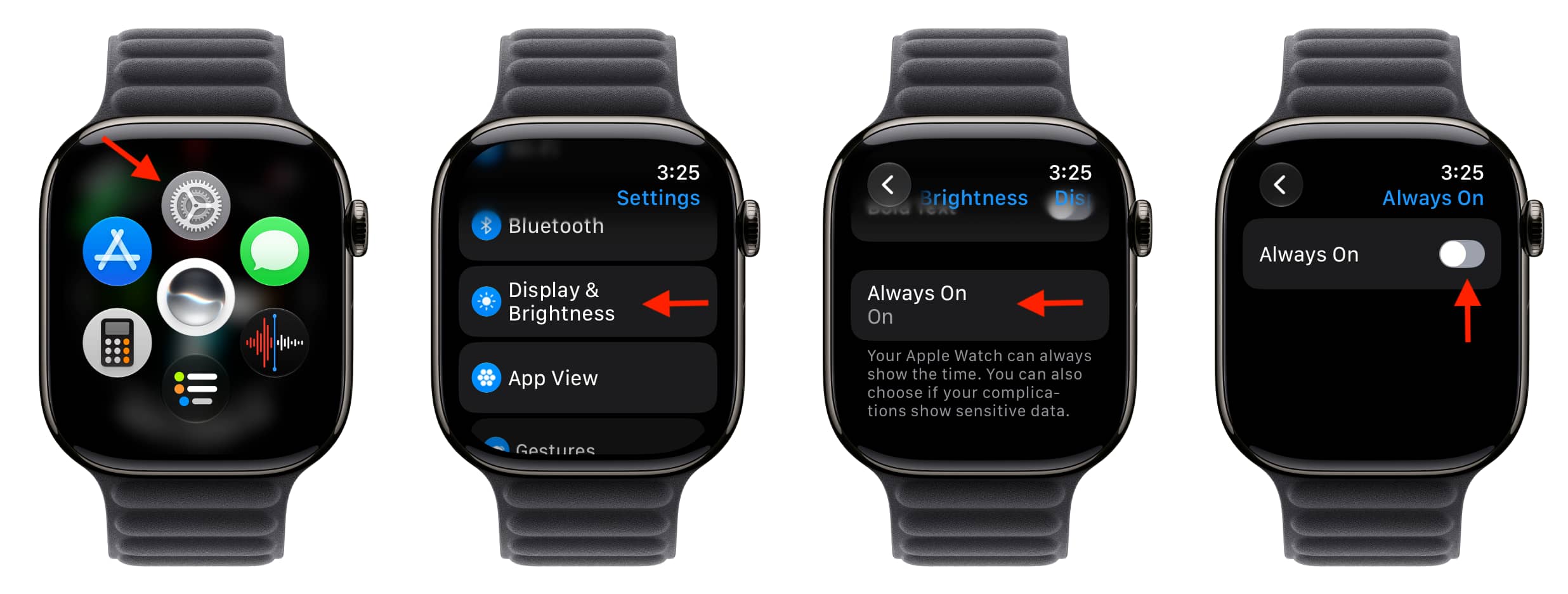
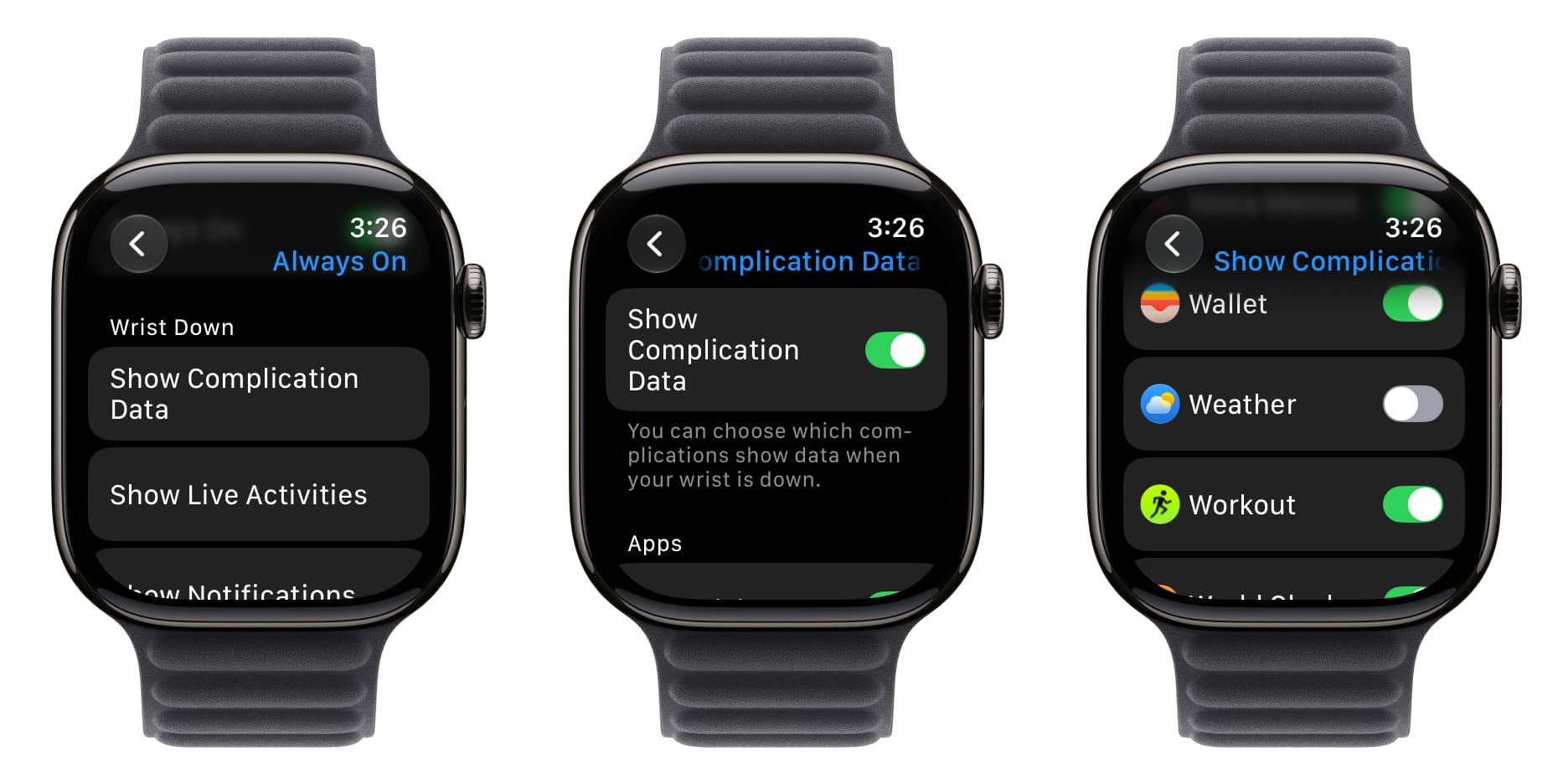
Learn how to fully disable the Always On display on your Apple Watch to save a lot of battery, or customize what’s shown and updated during Always On.
Like the iPhone , Always On display on Apple Watch keeps the watch face, along with things like complications and Live Activities, visible even when you put your wrist down.
While the Always On display refreshes occasionally, like every minute (or every second if you use a watch face with a second hand on newer models), it still eats up a lot of battery. So turning off Always On display is among the top three things you can do to extend battery life and get more use per charge.
If you like Always On display (since it’s cool and helps separate Apple Watch from cheaper wearables), customize it so only relevant apps and items show or refresh when your wrist is down.
Turning off Always On or preventing Live Activities from showing there can also help if you often record voice memos and don’t want others to see the recording running on your watch screen.…