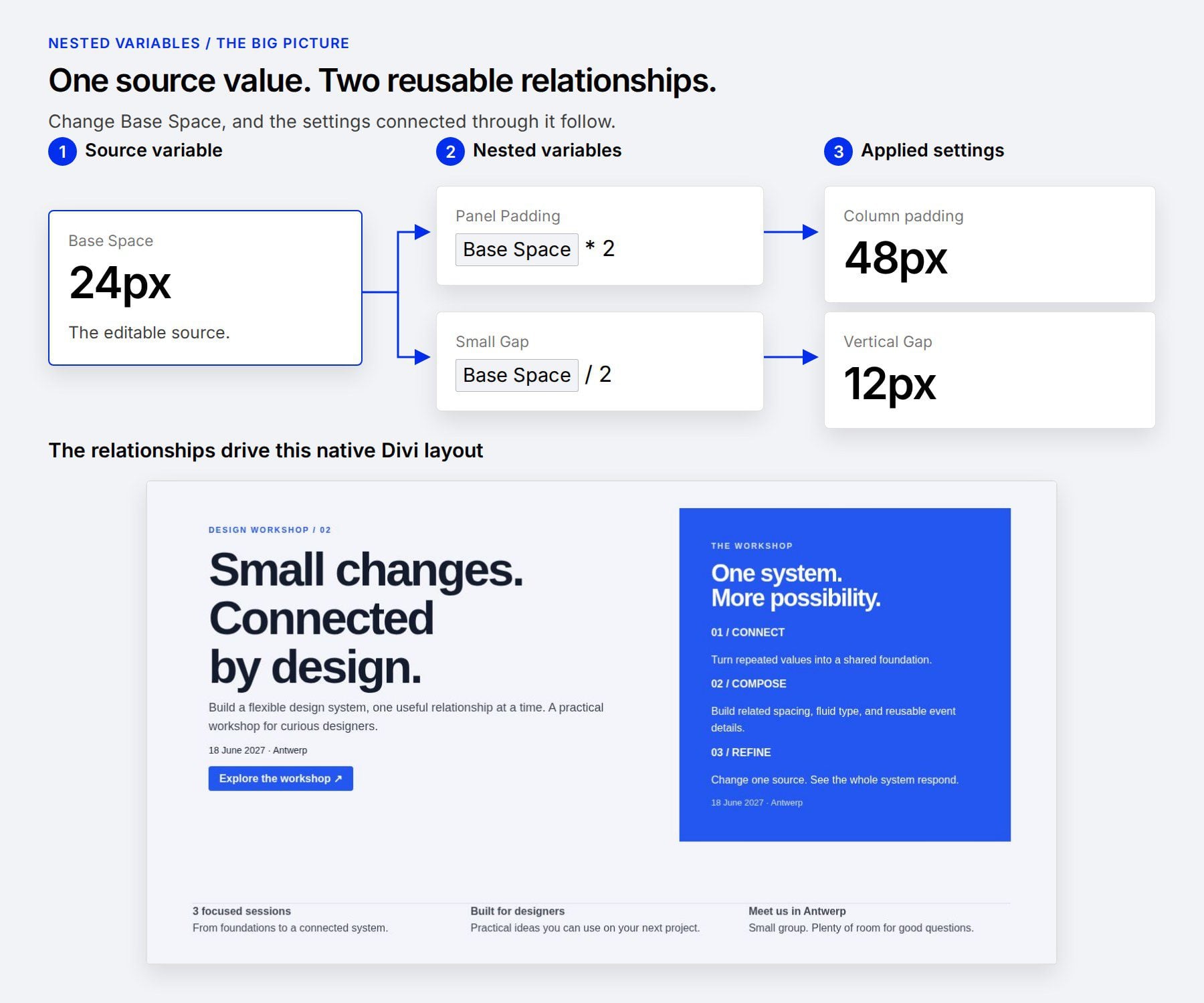
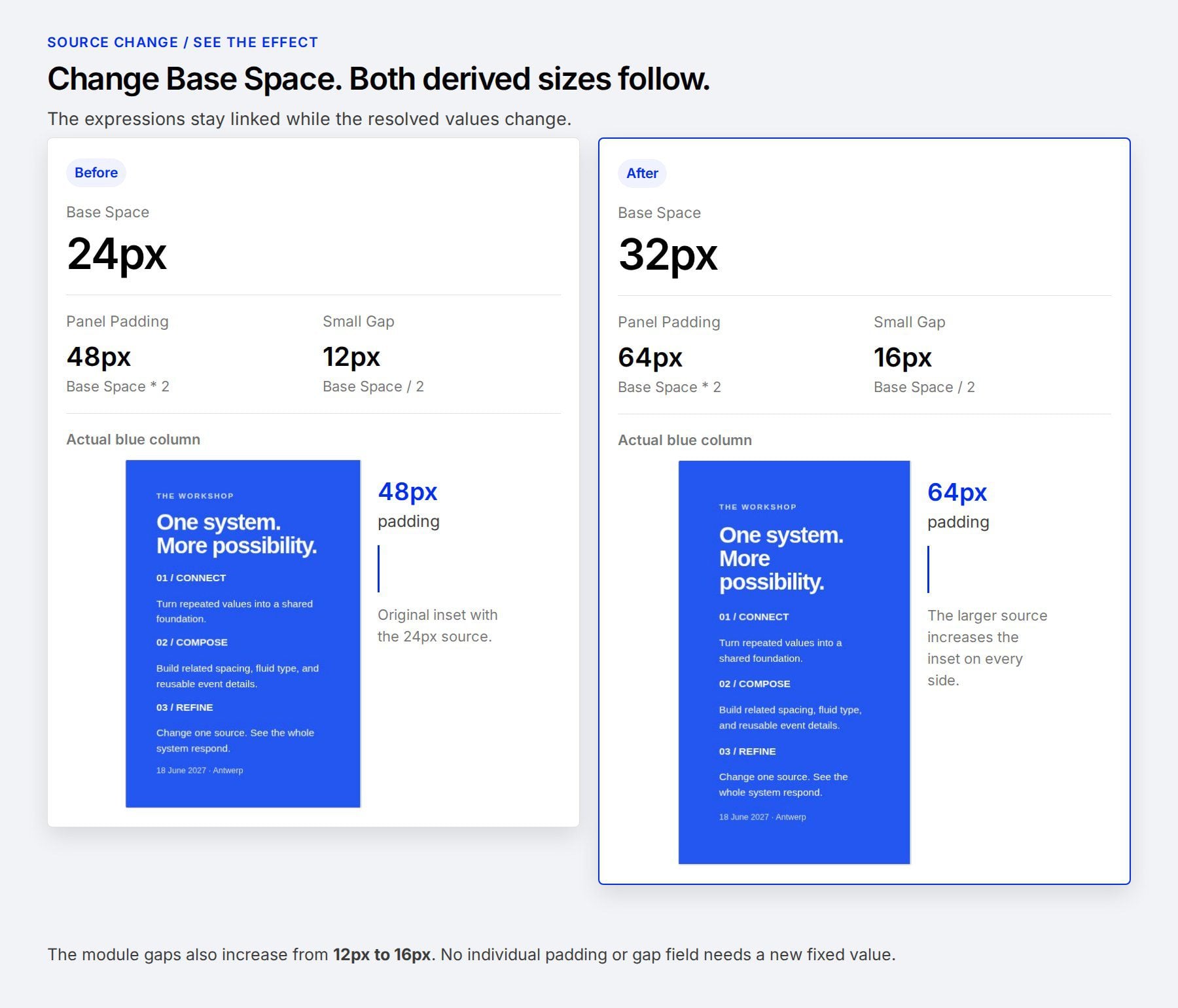
A spacing system becomes easier to maintain when its values have a clear relationship. A panel might need twice your standard padding, while the gaps between its contents need half that amount. Nested variables let you keep those relationships connected in Divi 5 .
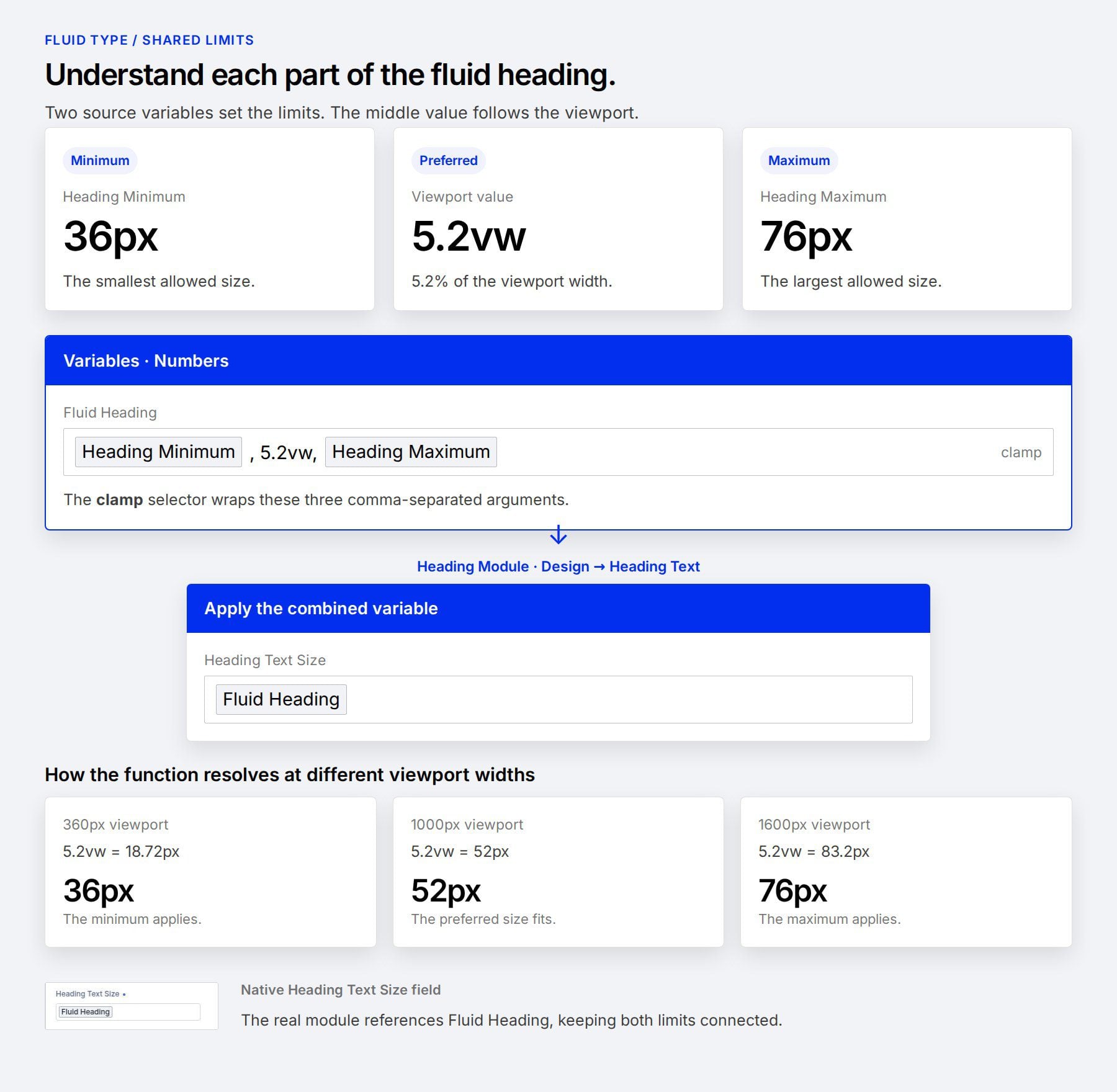
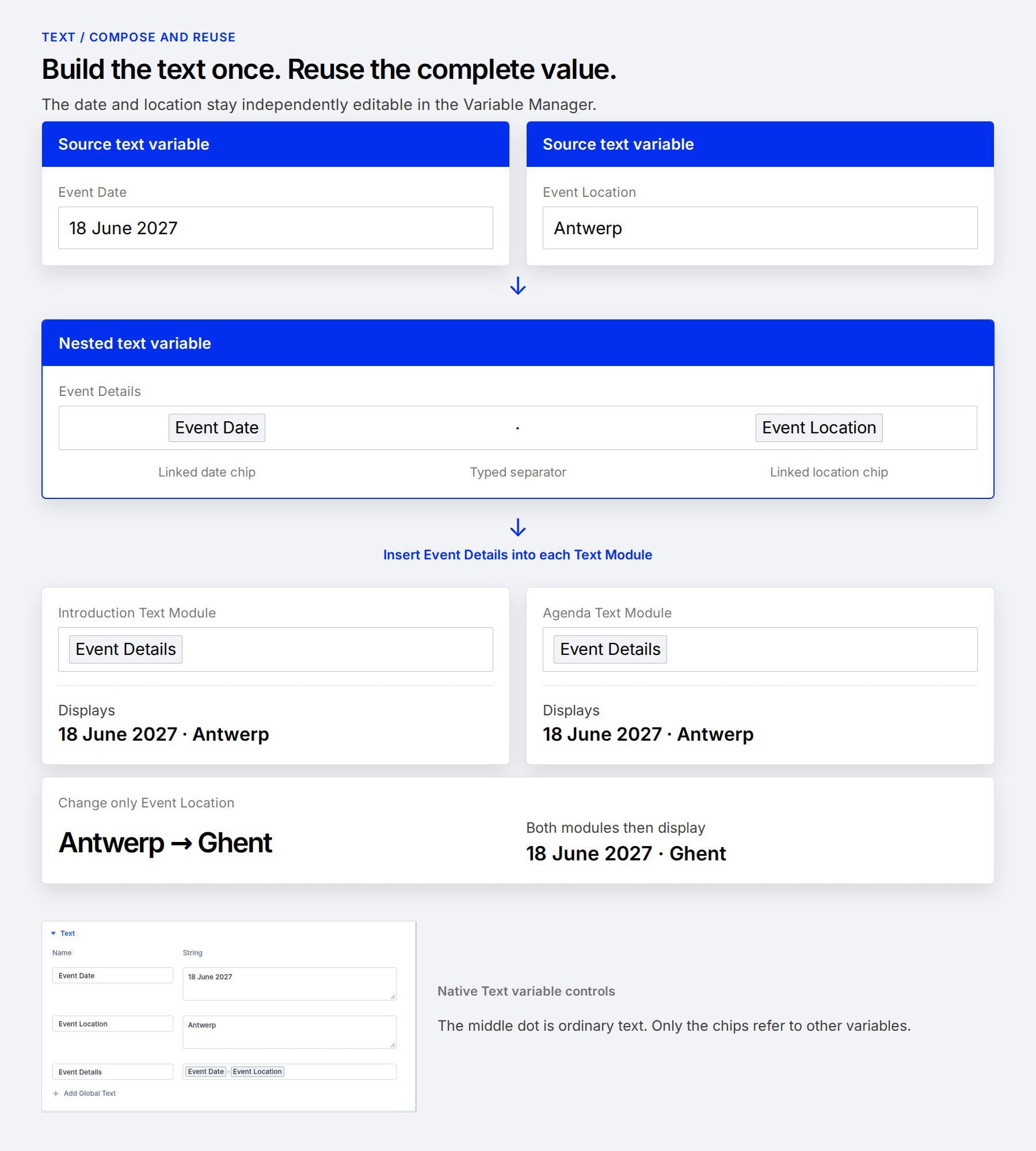
You can also build a fluid heading size from shared limits or assemble reusable text from smaller pieces. We’ll use a workshop layout to explore each approach and show what happens when a source value changes.
1 What Are Nested Variables In Divi 5?
2 Download The Example Layouts
3 Download For Free
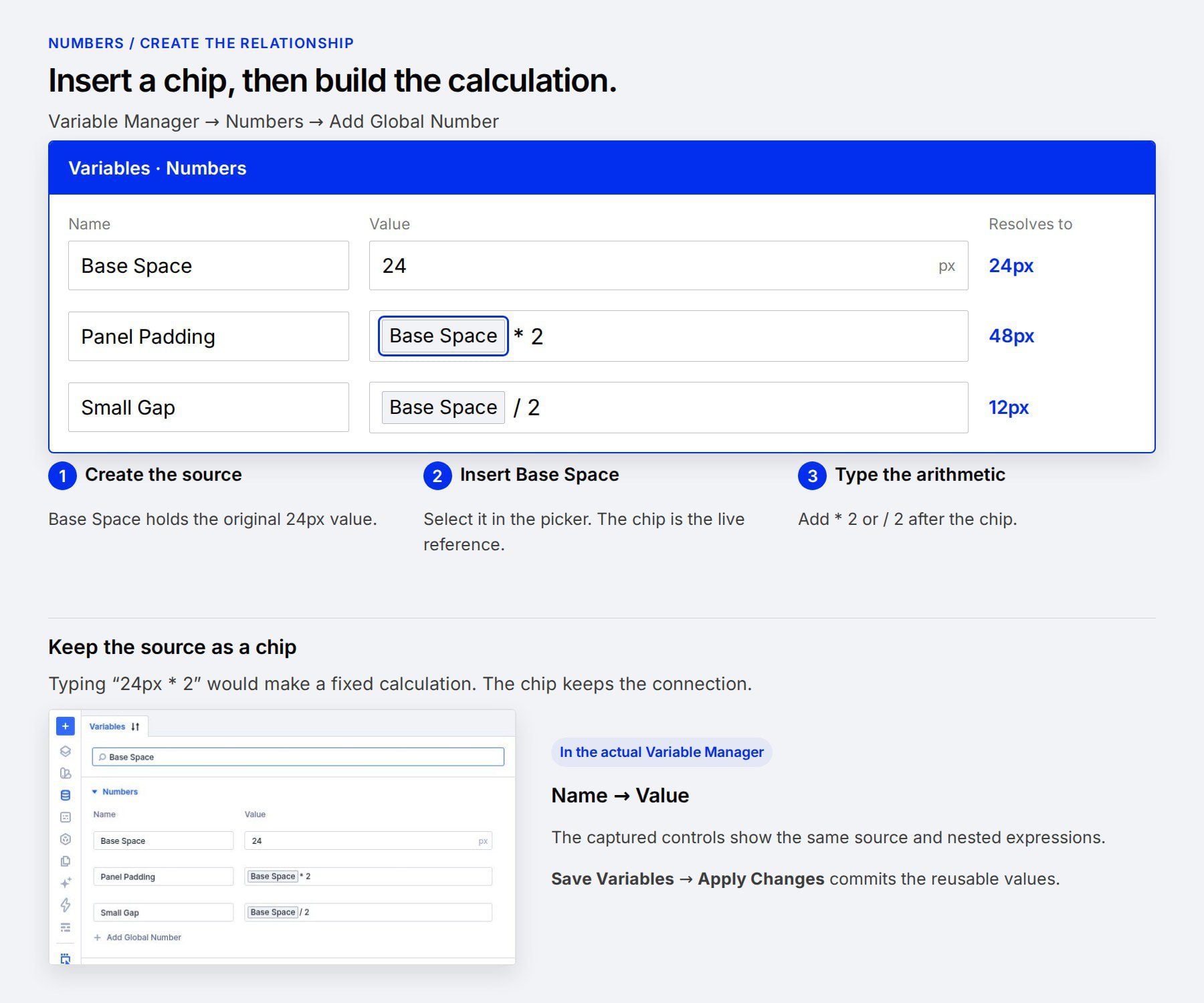
4 Build Connected Spacing With Number Variables 4.1 Create The Source Variable
4.2 Create The Derived Spacing Variables
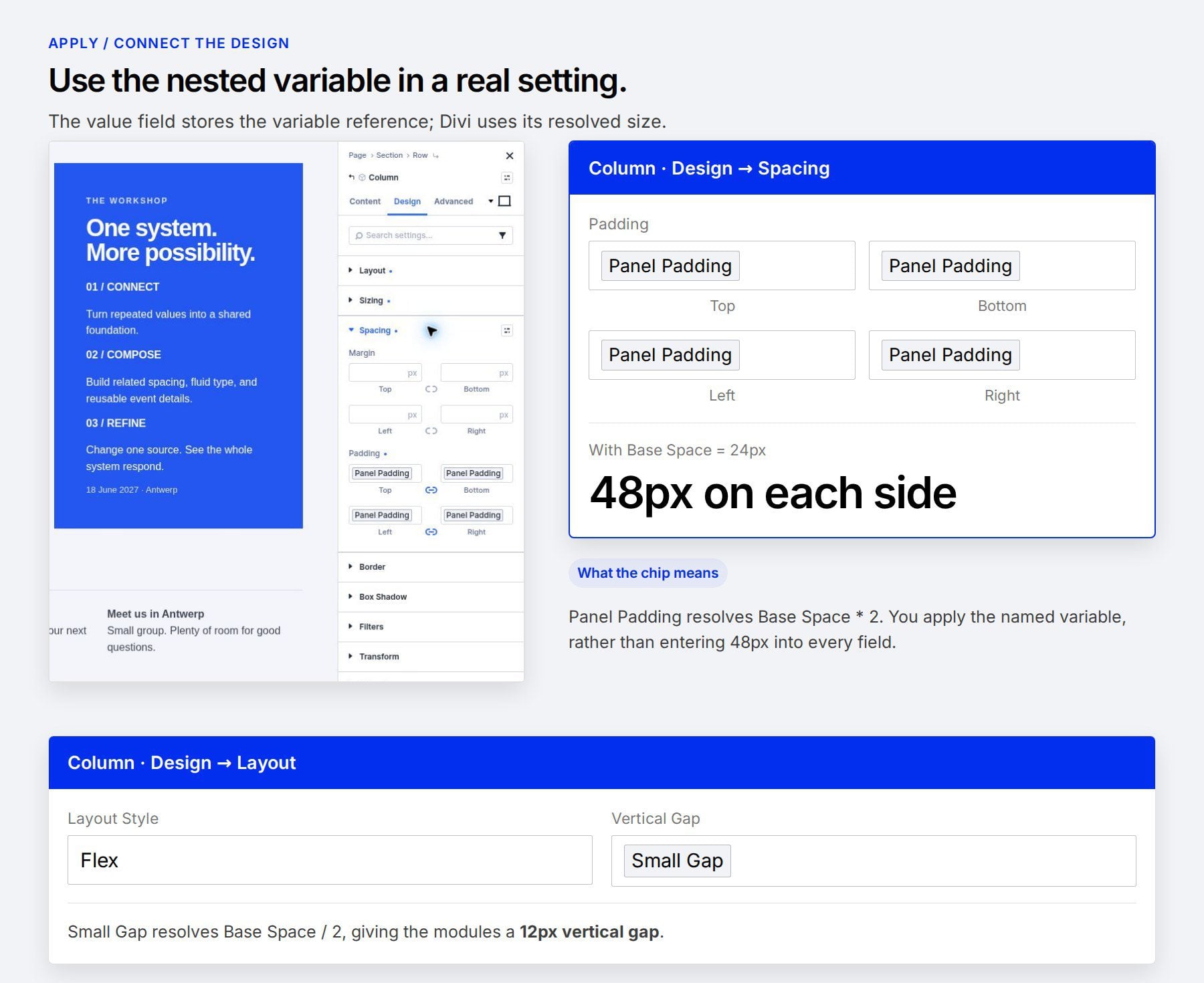
4.3 Apply The Variables To The Layout
4.4 Change The Source And Check The Result
5 Create Fluid Typography With Shared Limits
6 Assemble Reusable Text With Nested Variables 6.1 Create The Individual Details
6.2 Build The Combined Text Variable
6.3 Reuse The Combined Value
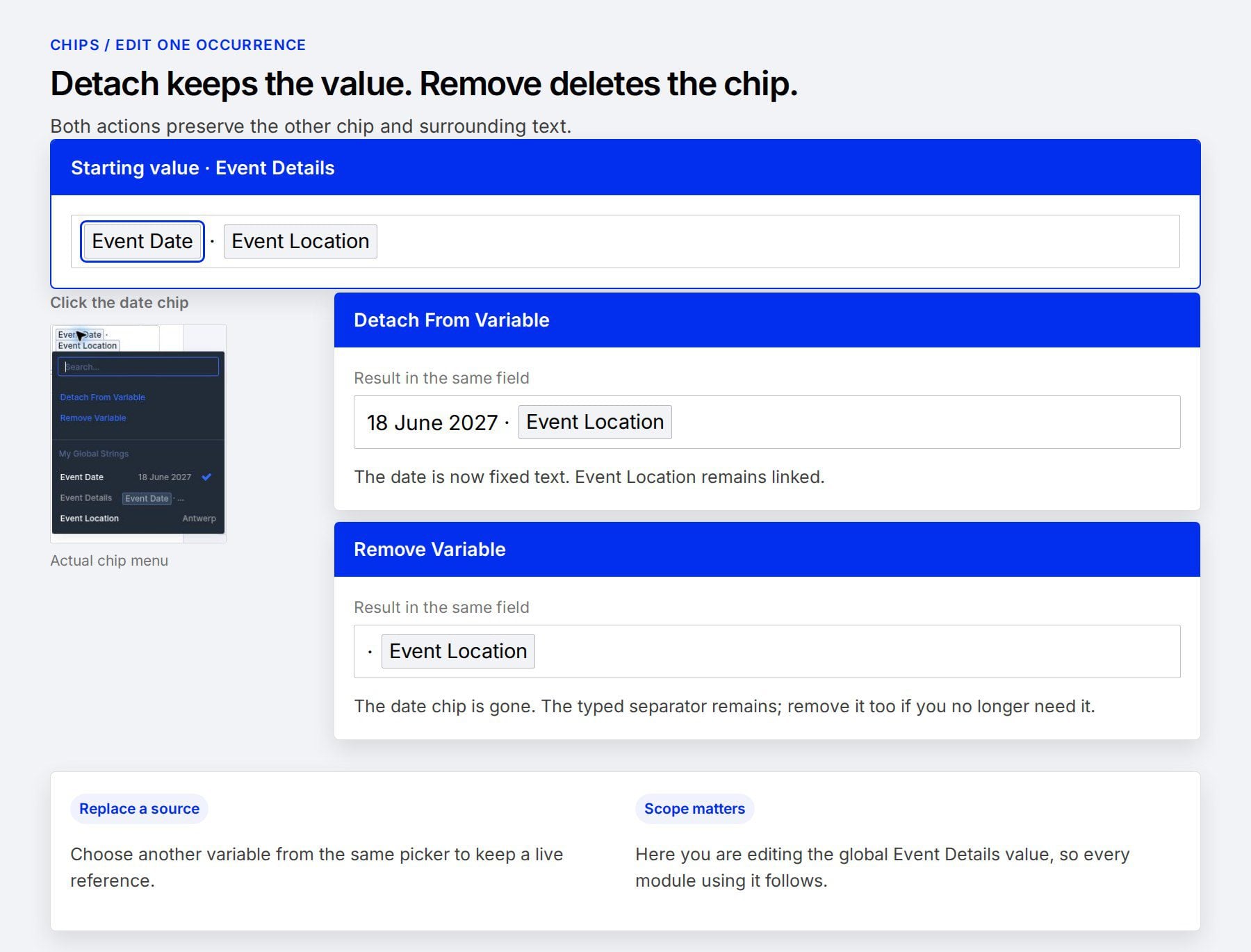
7 Insert And Manage Individual Variable Chips
8…