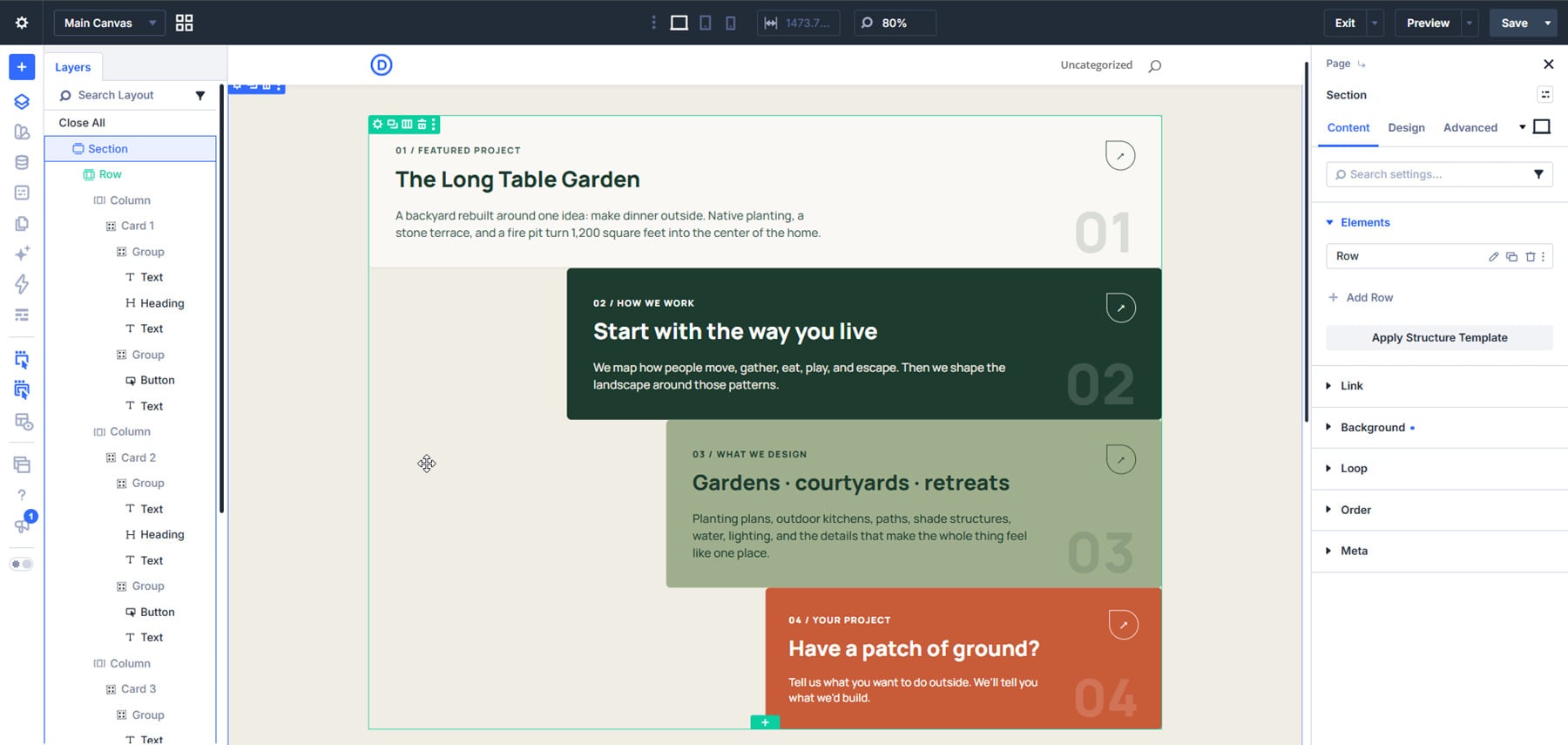
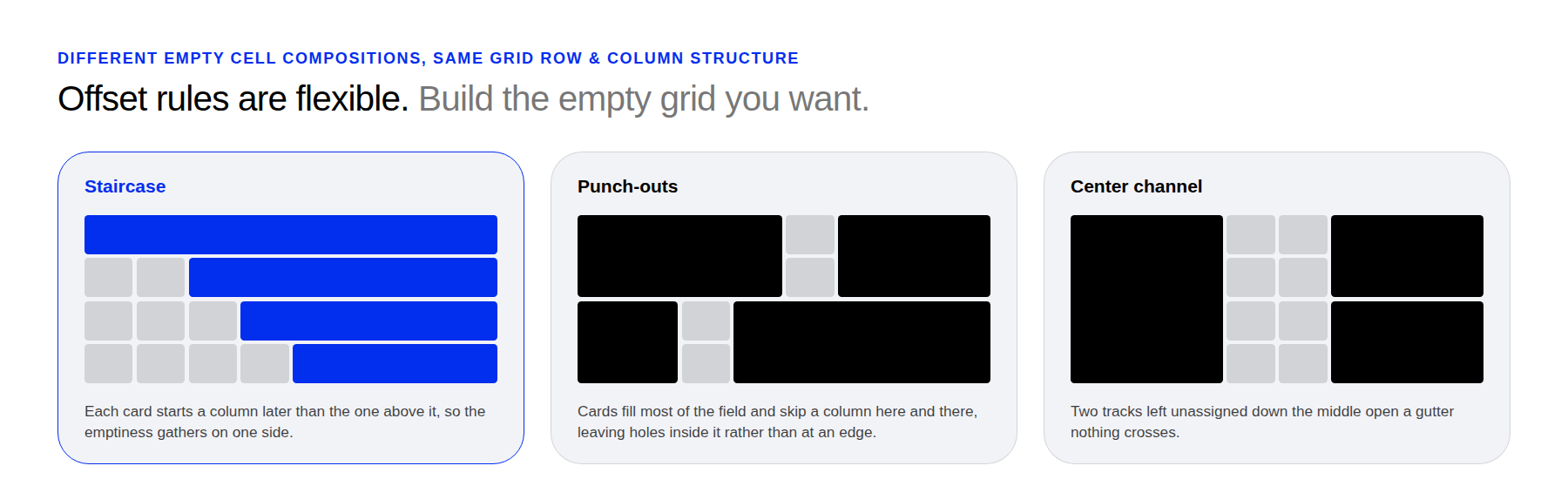
Most grid layouts fill every available cell. Leaving some cells empty can create a more interesting composition, with space that guides the eye through the content. With CSS Grid in Divi 5 , Grid Offset Rules let you position items precisely and leave selected cells unoccupied.
In this tutorial, we’ll build four cards on an eight-column grid. Each card starts farther to the right and spans fewer columns, creating a stepped area of empty space along the left.
1 Why Use Offset Rules Instead Of Spacers?
2 Set Up The Section
3 Build The Card 3.1 Place The Button And The Number
3.2 Add The Oversized Number
3.3 Duplicate The Card
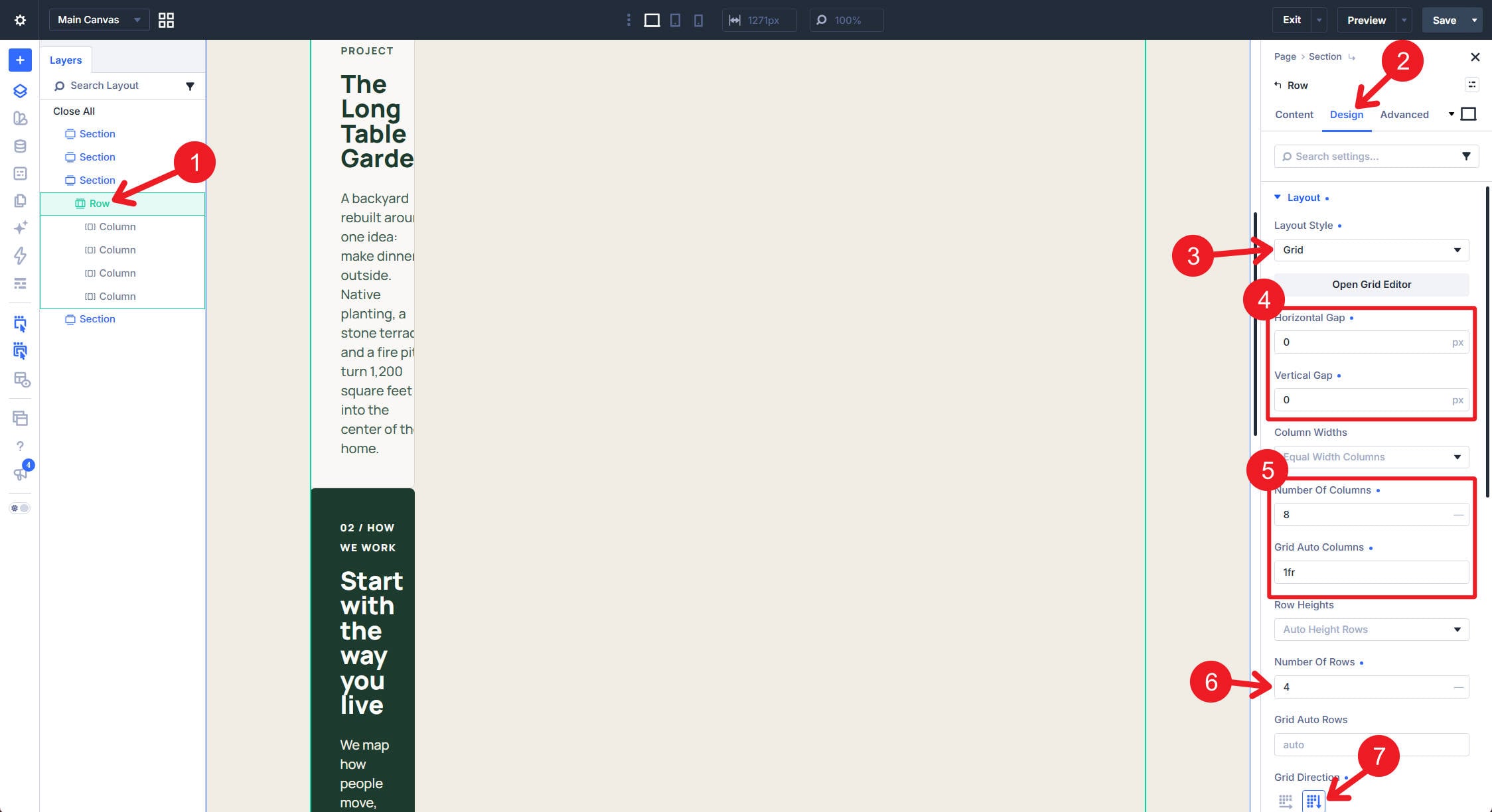
4 Switch The Row To Grid
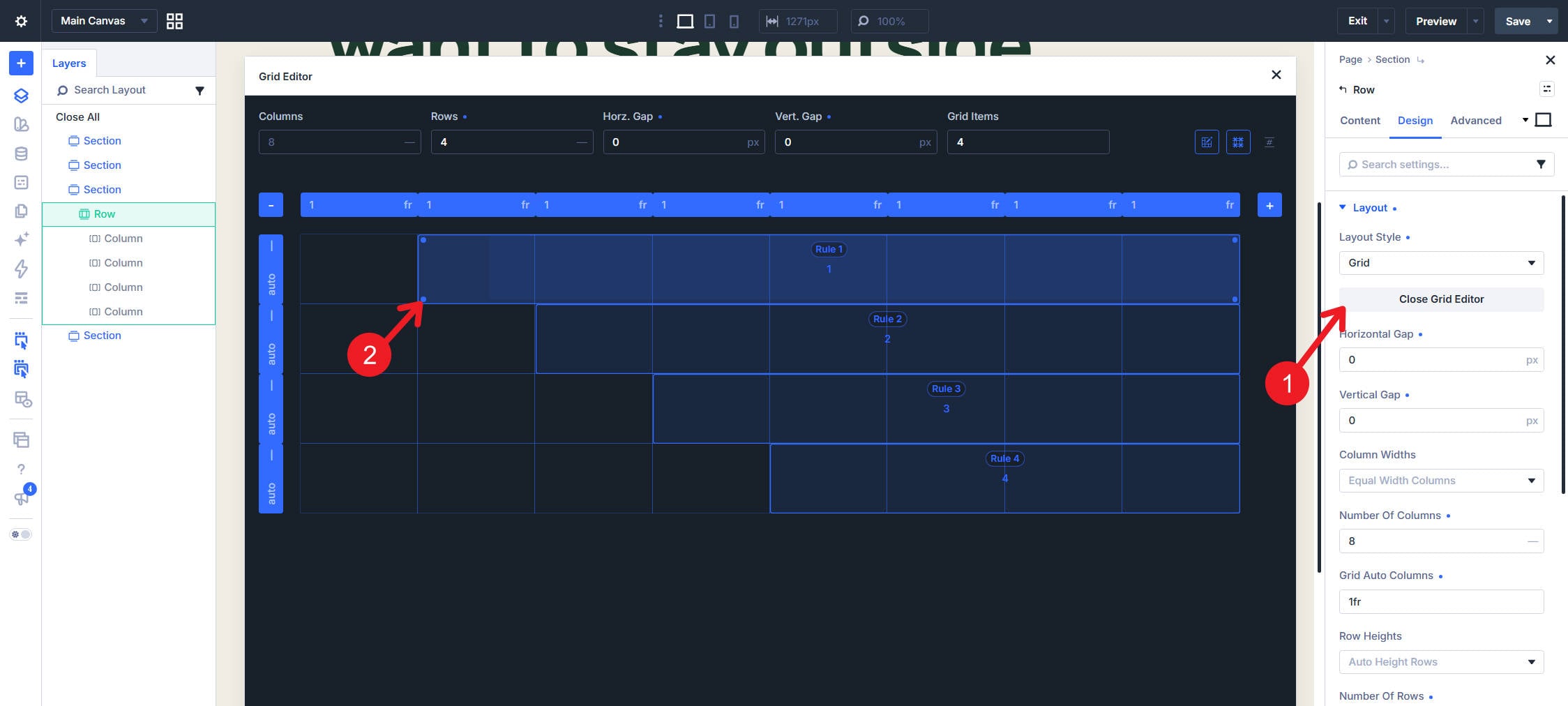
5 Add The First Offset Rule
6 Build All Four Card Offset Rules
7 Make The Cards Presentable On Mobile
8 Build A Different Shape
Why Use Offset Rules Instead Of Spacers?
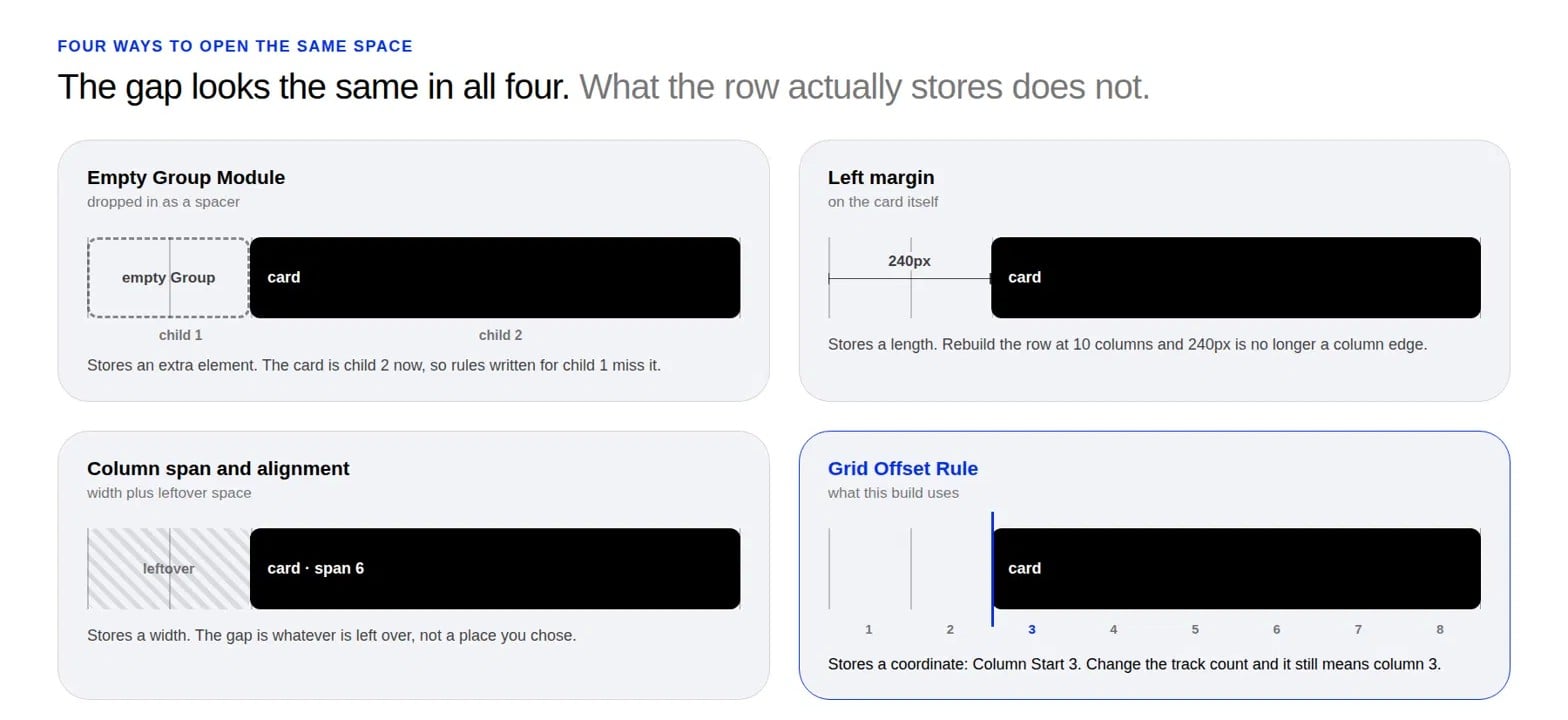
Spacers, margins, and column spans can all create empty space, but they give you different types of control.
An empty Group Module can act as a spacer.…